Create a landing page on WordPress: What solutions?
Last modification on July 18, 2021 by Loïc Frissard
Today, I invite you to discover how to create a landing page on WordPress by helping you find the tool that best suits your needs. To do this, I looked at the main existing solutions for generating landing pages that convert.
What is a landing page?
A landing page, also called a squeeze page or landing page, is a fundamental element of an Inbound Marketing strategy. This page is dedicated to a specific offer or product and aims to get them to subscribe to an email list, click on a link or purchase a product.
In other words, the goal is to qualify your visitors and integrate them into your marketing process through your WordPress site.
Concretely, a landing page is different from those of your other pages because it must leave the visitor no choice but to click on a call to action, fill out a form… or leave your page.
The different WordPress plugins to create a landing page
You must know that there is a plugin for every need and landing pages are no exception here in WordPress. If you want a quick way to build your landing pages in WordPress and you don’t want to bother fiddling with the code, using a plugin is the best solution.
That being said, unfortunately there is no free and complete plugin that I know of on WordPress. Whether it’s Ultimate Landing Page, Landing Page Builder, WP Landing Page or WordPress Landing Page, you will quickly see that they are either very limited in terms of functionality or that there is almost nothing available for free.
Anyway, the only plugin that has all basic features on WordPress is OptimizePress which I will introduce to you now.
Why OptimizePress 2.0 is the best plugin for creating landing pages?
I have to say that after testing several plugins, I was really impressed with OptimizePress. It offers you both a complete theme (which you are not obliged to install), but above all it is its very intuitive and easy to use plugin which will interest us.
Not only are no technical skills required, but the sales pages you can create really have a nice design thanks to the many templates provided. Indeed, the tool includes around fifty landing pages which are templates designed by professionals and tested to convert, all of which can be set up in a few minutes.
Ultimately, the investment is very inexpensive because there are several uses for a fixed price, and This will save you from having to take out a monthly subscription as other solutions suggest. With 97 dollars, or around €80, you can install the plugin on 3 sites (see prices). Packs for 10 sites and unlimited are also available. Difficult to find better value for money.
How to create a landing page on WordPress with OptimizePress 2.0?
Once you choose your OptimizePress license, go to your space to download the plugin file in .zip format.
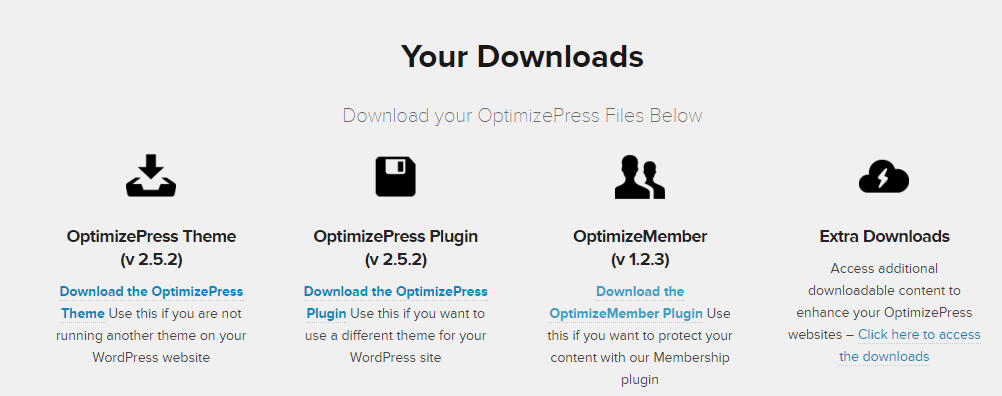
Then install it in your WordPress like any other plugin. Don’t forget to save your API key for updates.
You can then create your first landing page by going to Create New Page in the tab OptimizePress. It is in this tool that you can create any type of page that meets your needs.
In our case, these are the Landing Pages where the Sales Pages that interest us.
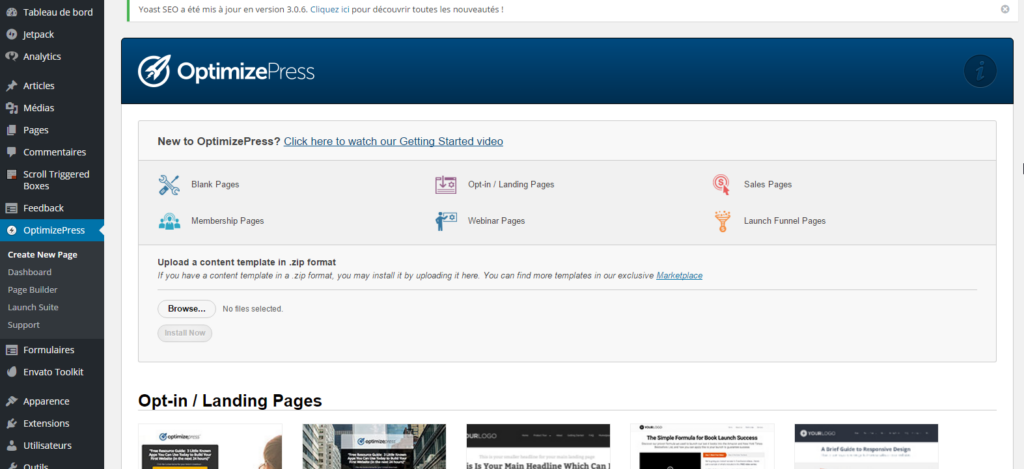
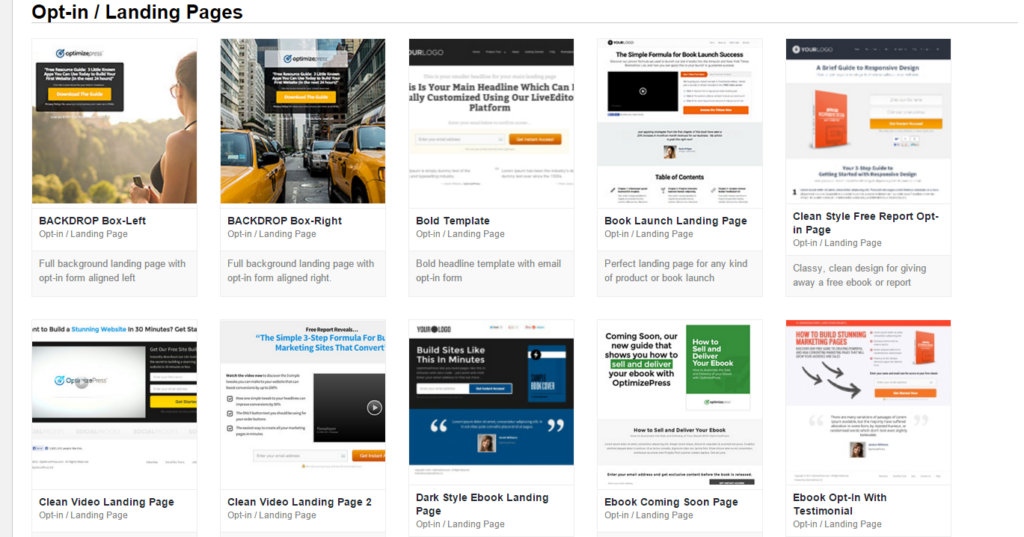
So choose the template that closest to what you want and then customize it.
Once you have chosen your template and provided the page name, you are redirected to the Live Editor, where you can add and customize your content. Its drag and drop interface is very intuitive and shows you exactly how your page will look.
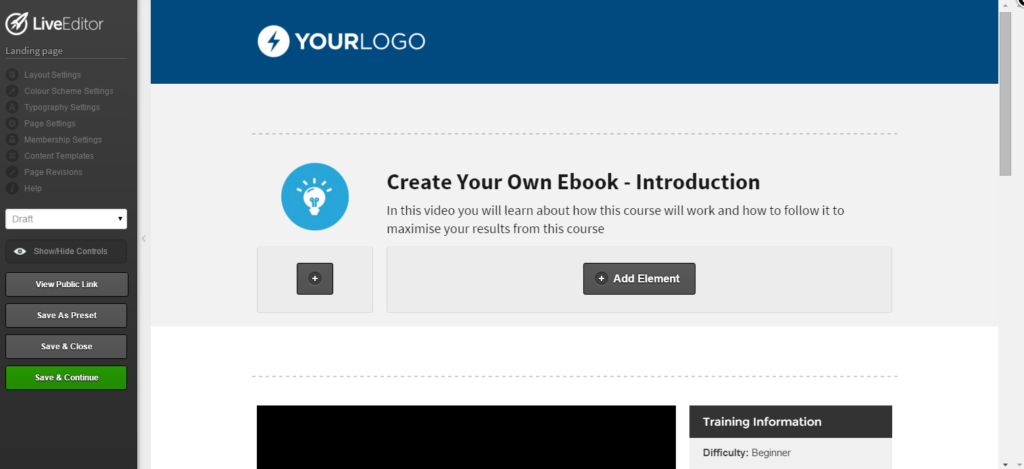
Rows contain a group of objects. When you add a row, OptimizePress will ask you how and in what configurations you want the columns to be arranged.
Once you have selected the number of columns, you can select the elements you want to add, This is where you can populate your content from there.
Whether it’s text, videos, forms, Call-to-actions, Optin-boxes, images, etc., we might as well tell you that the possibilities are endless with all the elements available.
A powerful tool for your marketing
OptimizePress also includes two other features which are interesting for me in the context of creating landing pages and in particular for lead generation.
First with the tool Launch Suite included in the plugin, you can create sales funnels to help you launch your new products more effectively. Thanks to this tool, it becomes easier to increase your conversion rate.
Finally, theintegration of emailing solutions like Mailchimp, Aweber or other tools is a significant advantage. This will allow you to create forms from the initial configuration of your emailing tool and thus collect information from your visitors that you can add to your lists.
Instapage: The embeddable alternative to WordPress
Instapage is the reference solution for creating landing pages, of which you can find my complete test. It is a very complete tool in its own right which goes from creation to publication including optimization.
The advantage of this tool lies above all in its simplicity. Thus, the creation of your landing page is done in a very intuitive way using a drag and drop system but also the numerous customizable templates.
Suffice it to say that the result is much more satisfactory and professional. On the other hand, Instapage is also more expensive with prices starting at $69 per month. However, you should also know that other very interesting features are present such as the analysis tool, A/B testing and above all the integration directly into WordPress.
Please note that the tool offers a free trial period for 14 days while you test all the features.
Conclusion
It is impossible to show you the full range of features in a single article as there are so many of them. But I can honestly say that OptimizePress makes it very easy to create landing pages on WordPress once you understand how it works. Instapage also convinced me a lot and I use it more to create landing pages for certain clients because the solution is much more flexible and complete.
Finally, if you want to create or improve your landing page on WordPress or elsewhere, it may be interesting to use specialized tools and draw inspiration from examples of landing pages that already work for other sites.
If you use WordPress, you undoubtedly know how to use it to create a site that reflects your image. This content management system is known for its ease of use. But doing updates is another question.
So do you know how to update WordPress? If you don’t know the answer to this question, you urgently need to find out. The updates correct bugs and make some sometimes welcome modifications.
But to successfully update, you must follow a series of steps that are important to know to be sure that the update is successful. And if the latter does not suit you and you prefer the old version, know that it is possible to go back.
Simply follow the steps provided online to successfully update.
The article is clear, easy to read, everything is done so that you don’t get lost and that you find answers to your questions. So if you’re used to using WordPress, discover features you may not know about in just a few minutes.
Similar articles