Comparison between Hootsuite and Buffer
Last modified September 25, 2023
Social networks have become an essential part of any web strategy with a minimum of common sense. It is essential to develop strong skills in this area in order to engage, listen and respond to your audience. Getting help from management and planning tools can be very useful. A quick comparison of the two market heavyweights, Hootsuite and Buffer!
Why use a social media management tool?
Planning and organization are essential, but with so many different networks to manage, it can be difficult to stay organized. Fortunately, there are many tools for social media management that are designed to help us save time and stay organized.
They can help us schedule messages, get an overview, respond to our fans, or simply analyze information using statistics.
The idea of this benchmark is therefore to guide you in choosing the platform between the two most popular tools, Hootsuite and Buffer. Note that I tested these 2 planning tools in the pro and awesome plan versions respectively (around €10 per month).
Hootsuite, the heavy artillery
Hootsuite is a comprehensive platform that allows you to manage all aspects of your social media business such as:
- Publishing and scheduling your posts
- Interaction with your followers/fans
- Monitoring of engaging content
- Track your progress with analytics tools
All this is available for around thirty social networks, of course the main ones, without counting the groups and communities of which you are part. In addition to these already very interesting features, you can also collaborate with team members by assigning tasks that can be created directly from a workflow
What I like about Hootsuite
The main strength of Hootsuite lies in the wide variety of functions. You can do just about anything you can in terms of managing your favorite networks.
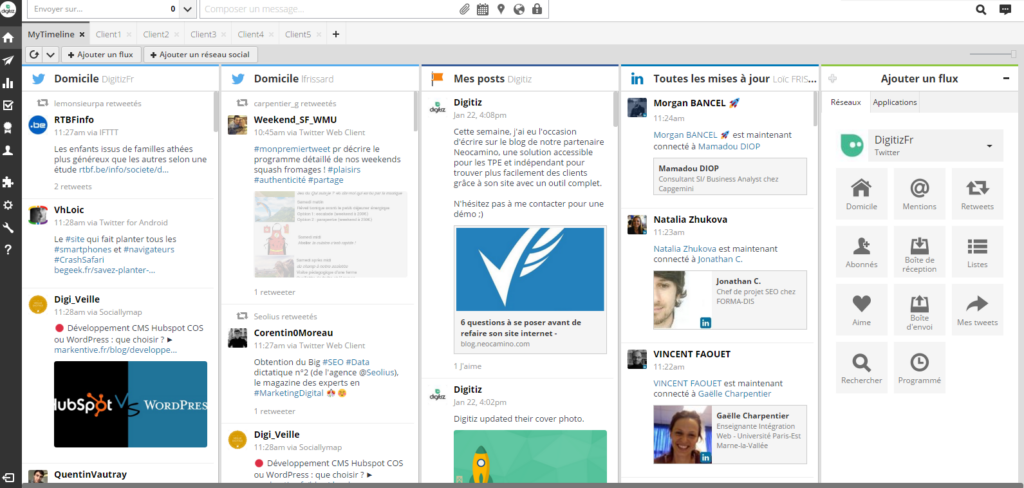
The main window of Hootsuite is the dashboard which is made up of several elements that you can customize according to your connected social networks like the news feed, mentions, direct messages, your feeds etc. You can really have a complete overview of your activity on your different social networks and this is the strength of Hootsuite.
Then, we also have access to an editor which allows you to send your message on social networks. You can choose on which social network to share content, add a link, an image and schedule this message for later.
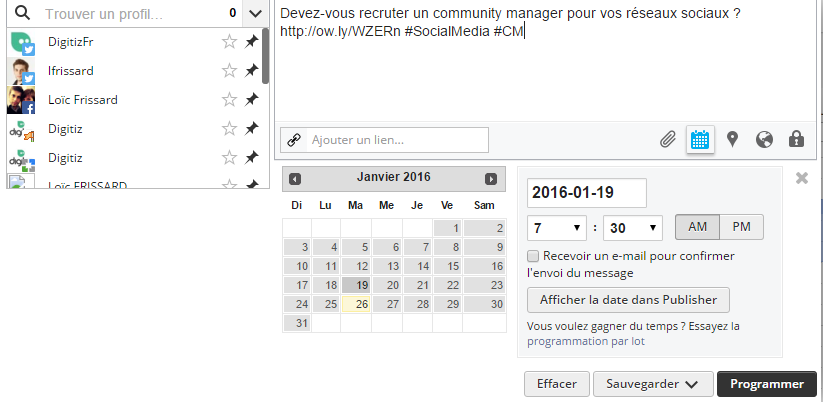
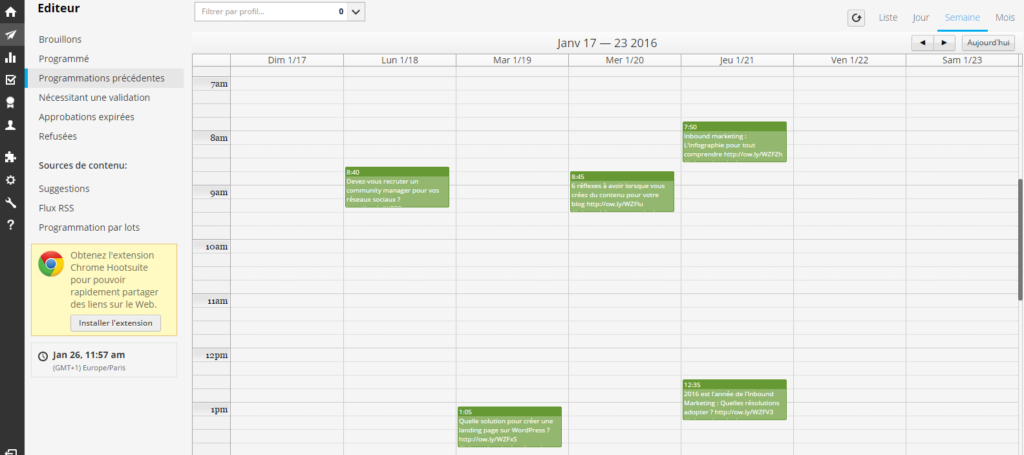
My favorite feature is the automatic scheduling which I use a lot for my Twitter accounts. In the menu on the left, you have the “publisher” tab which allows you to see all your scheduled publications. You’ll also find the super handy “Batch Scheduling” feature, which allows you to send a .csv file to Hootsuite with your messages, the link, the dates, the time you want to publish.
Scheduled messages can be displayed in calendar form which will give you great visibility of your schedule.
If you are a community manager like me or if you are part of a marketing team. This tool will simplify your task with your various teammates or clients. Indeed, you can create organizations to assign messages and share feeds with your team. Different permission levels allow you to easily manage your team members at different levels.
What I don’t like about Hootsuite
I’m a big fan of Hootsuite but unfortunately there are still things that could be improved.
This tool can be fully synchronized with many tools which makes it so valuable, but the problem is that the dashboard can quickly become quite complex and too cluttered for my taste.
The other downside for Hootsuite is the cost of analytics reports. They are basic in the free version and more complete in the Pro version. But some models are paid, and you will have to add credits to your plan. This is the price to pay if you are self-employed.
How much does Hootsuite cost?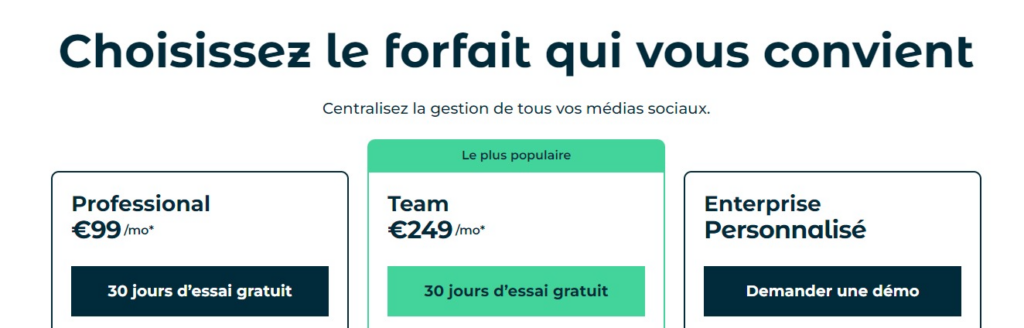
Hootsuite offers several subscription plans:
- Professional : €99/month
- Team: 249€/month
- Business – please contact a Hootsuite representative for a quote.
If you haven’t yet, you can still try the Pro version of Hootsuite for 30 days, with no commitment.
Buffer, simple but effective
Where Hootsuite focuses on managing your social media, Buffer focuses more on the scheduling aspect of posts across Facebook, Twitter, LinkedIn, Pinterest, TikTok, etc.
The idea behind Buffer is that you set a schedule and add messages to your Buffer, then these will be scheduled at intervals that you choose.
The tool is so simplified that it doesn’t require advanced training or as much adaptation time as Hootsuite. Anyone can use this tool regardless of their social media skills.
What I like about Buffer
In terms of complexity, Buffer is almost the opposite of Hootsuite. You won’t have such a range of features, but what you will have is a clean, more ergonomic and easier to use tool.
Scheduling your publications can be done by defining in advance the times at which you prefer your publications to be launched. Buffer is even nice and can make suggestions for you!
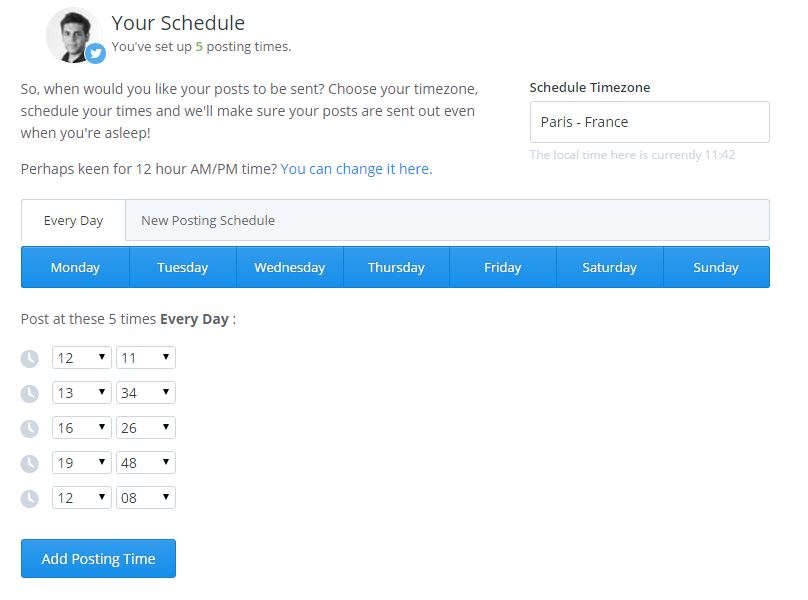
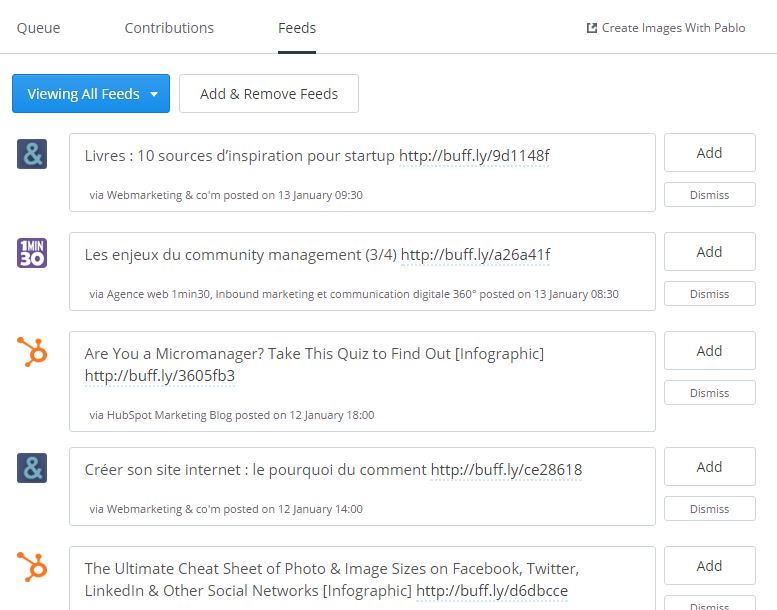
Aside from the scheduling functionality, you are able to add RSS feeds of your favorite blogs and share their content easily.
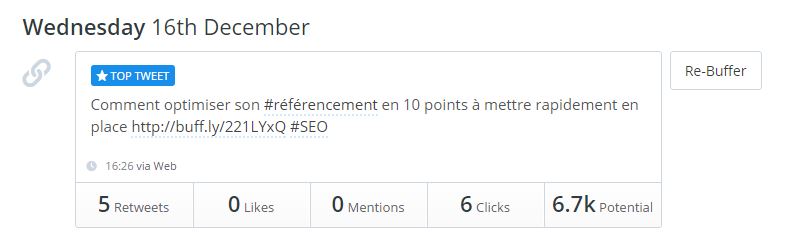
The analytics are simple, it’s easy to see which social messages are performing the best. You can then easily “re-buffer” messages with just one click.
Finally, they added a calendar view and a tool to optimize times to share your content.
What I don’t like about Buffer
In one way Buffer is limited because you can’t see your Twitter feed or directly interact with your followers.
But that’s Buffer’s bias and adding additional features would likely make it a more complex planning tool to use.
How much does Buffer cost?
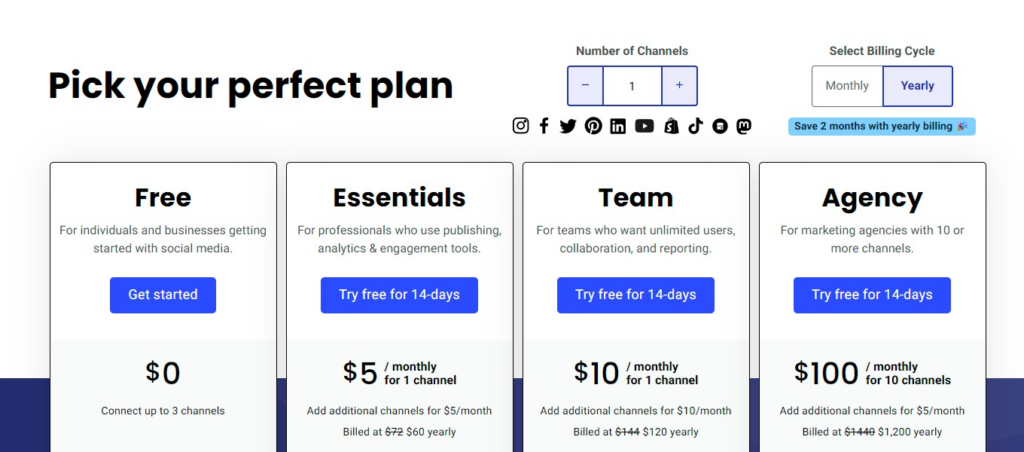
Just like its direct competitor, Buffer also offers several plans:
- Free Starter Plan: Free for up to 3 social profiles
- Essentials Plan: 15 USD per month for 1 channel
- Team Plan: 10 USD per month for 1 channel
- Agency Plan : 100 USD per month for 10 channels
Conclusion
Hootsuite and Buffer are awesome social tools that will help you become more organized and get better results for your profiles.
Even if the main functionality of both tools is programming your posts, they both have their own specificities, which is why your choice will depend above all on your needs.
However, if you manage many social profiles and want to be able to engage directly with your followers, Hootsuite might be the right solution. It may take some time to get familiar with all of its features, but once you know how to use the machine, you’ll start saving a lot of time managing your social profiles.
On the other hand, if you’re not able to dedicate a lot of time to social media and want something super quick to schedule your posts, Buffer is a great tool that’s simple, fast, and effective.
And what is your favorite tool? Don’t hesitate to leave me a comment to give your opinion!

Passionate about the web and entrepreneurship, I founded Digitiz in 2016. My goal is to pass on my experience to you and to be able to save you time in choosing your tools.
Similar articles