a visual and video creation platform
Last modified July 18, 2021
Are you looking for an easy-to-use tool to create professional-looking promotional videos, animations and slideshows? You didn’t even know such tools existed? Either way, if you’re considering building a website or already running one, you can’t escape the need to produce brand-related images and videos for your project.
So today we are going to review one of the most popular online video editing solutions, Renderforest. In this review, we’ll cover the features, pricing, and recommendations on using the tools to help you generate your business and marketing video.
What is Renderforest?
Renderforest is a tool that allows you to produce videos, logo reveal videos, intro videos, infographics and animations for your business, whether it’s a corporate training video or a promotional video to share on your website and social media platforms. With Renderforest, you can create videos on a single platform, it happens entirely in one browser.
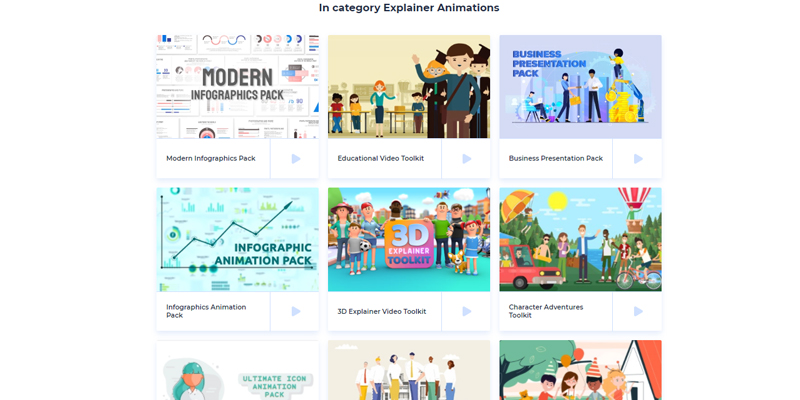
The whole idea of Renderforest is to allow anyone to create quality media for their business quickly and easily, or at least with a much smaller learning curve than Photoshop or Premiere. The tool has a very simple user interface, which allows even beginners to use the tool without prior training. The wide selection of templates makes this tool unique compared to its competitors, so you can start working immediately from existing samples and customize according to your needs.
However, you can actually do more things with Renderforest. Not only can you create a video, but you can also create a logo with the help of AI (artificial intelligence), create high-quality graphics, mockups and also build a website. Yes, Renderforest is an all-in-one branding platform, as its tagline says.
Renderforest Features
Excellent interface and easy to use
Yes, you can easily create a high-quality video on Renderforest without knowing anything about editing software (or having to pay for it). To get started, you can create a free account and there are free video templates available to help you create intro videos and product explainer videos.
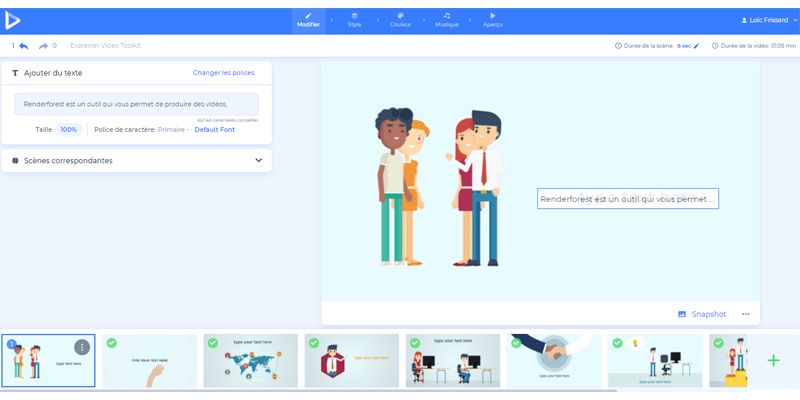
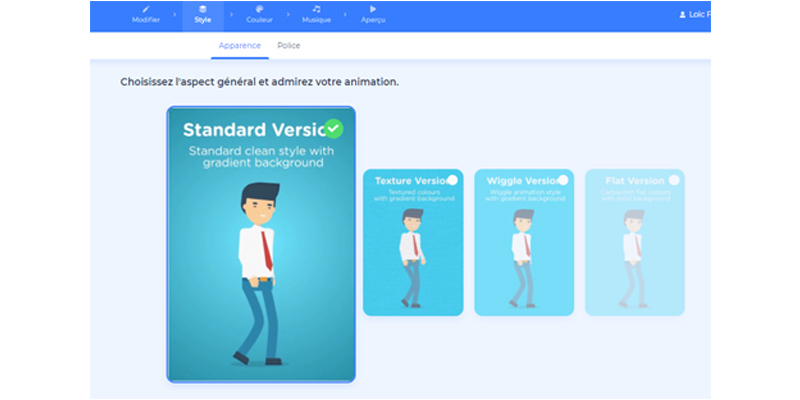
The steps for creating a video are very simple. First, you need to select a template, edit your project online, choose the animation style, color palette and sound for your video, then download it in the resolution you prefer. Once you’re done, you can publish your video immediately. It is really impossible for you to be confused while using the site.
Large collection of models to customize
Renderforest offers many templates and template styles that you can choose to customize according to your needs. My favorite templates are the explainer animation video and broadcast video templates.
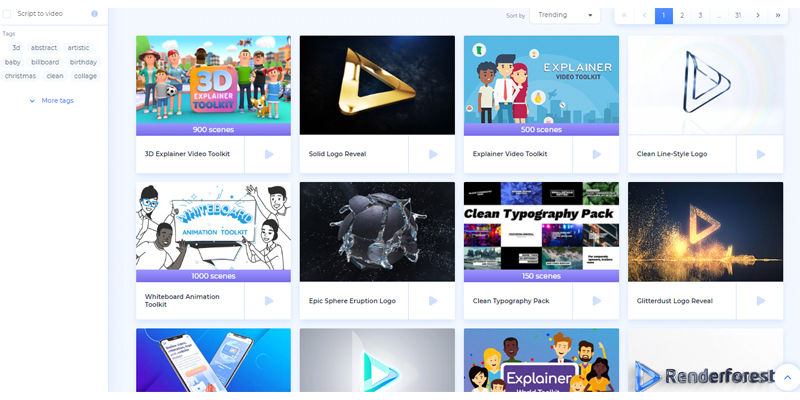
If you want to add a personal touch to your video marketing, you can use their 3D explainer video toolkit, which includes over a thousand animated scenes. These scenes can be sorted by options like “Most Popular,” “Trending,” or “Latest.” All you have to do is use their search bar and type in the keyword, such as “promo video,” “training,” “infographic,” “video intros,” and many more.
Library of high quality royalty-free images, videos and audio
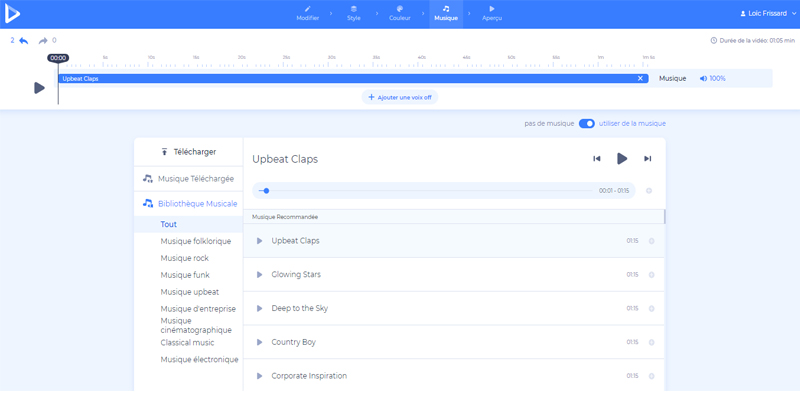
Renderforest has a bank of commercial, royalty-free videos that you can easily remix and modify without having to go through complicated interfaces. Additionally, they have over 195,000 high-definition royalty-free footage that you can use to make your video look more professional and attractive. And, of course, don’t forget the sound library to add the finishing touches to your new video. And by the way, this option also allows you to upload your own music.
Powered by artificial intelligence
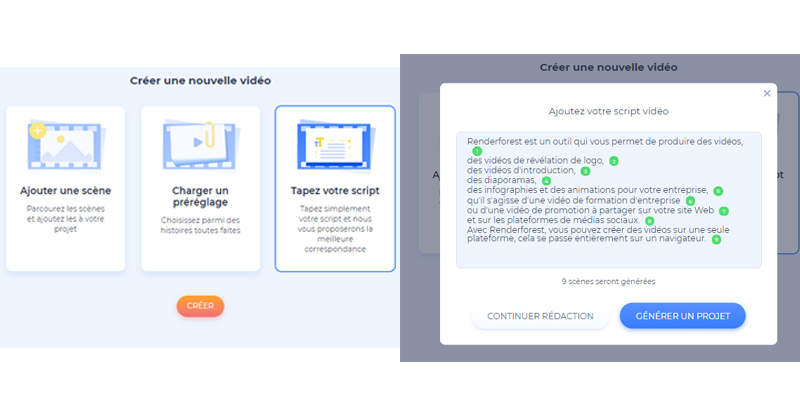
Recently, Renderforest has also made it easier to create and edit videos in minutes by relying on its artificial intelligence to generate videos for you. So, all you need to do is create a script and then Renderforest will turn it into videos.
Mockup templates
You can access Renderforest’s mockup templates, which include a wide range of layouts. Browse our mockup categories to find the pack that’s right for you. Plus, if you have your own design, simply upload your file to see a realistic preview of your design on a variety of products.
Logo maker
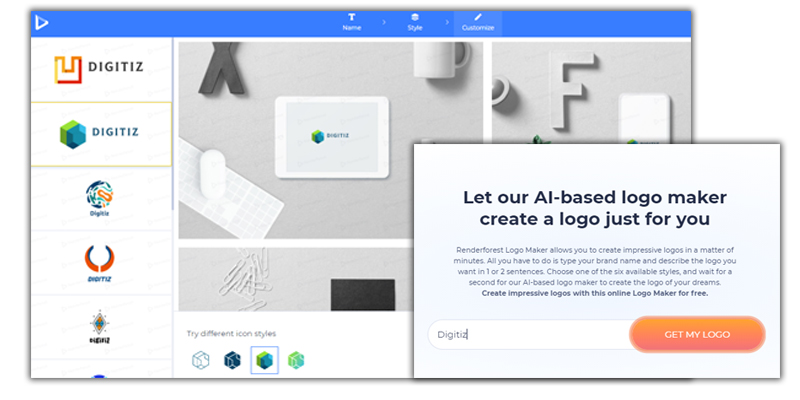
Renderforest Logo Maker lets you create eye-catching logos in just minutes. All you have to do is type your brand name and describe the logo you want in one or two sentences. Choose one of the six available styles and wait for our AI-powered logo maker to create your dream logo in a fraction of a second.
Tutorial for creating an animated video with Renderforest
Price of Renderforest
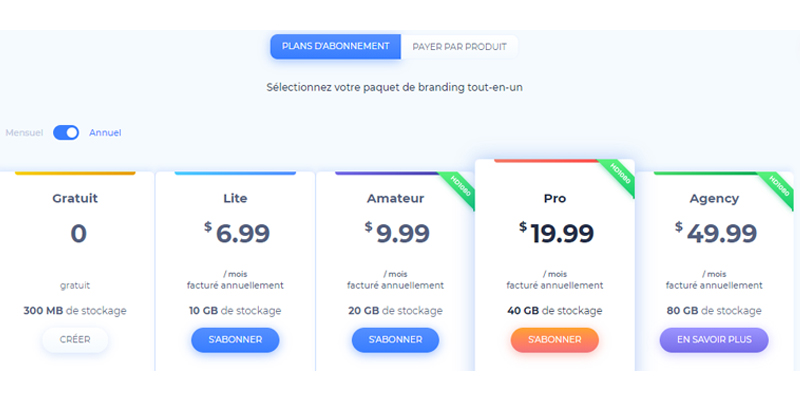
Renderforest offers a free version and a premium plan. As with any SaaS solution, if you sign up for an annual subscription, you’ll pay a little less than if you just sign up for a monthly subscription. There are 5 types of plans, which are:
- Free – free forever
- Lite – €6.99
- Amateur – €9.99
- Pro – €19.99
- Agency – €49.99
What differentiates the premiums from each other is simply the storage size, the duration of the video generated with Renderforest, and also the credit to download the video in high definition (HD) format, either HD720HD or HD1080.
To choose the right one for you, you should base it on your needs. If you plan to generate at least 4 videos in HD720 and only 1-2 minutes long, you should choose the Lite or Amateur plan. But if you need a longer duration and plan to generate at least 20 videos in high definition, you should consider the Pro or Agency plan.
Advantages and disadvantages
Most :
- The interface is great and the platform is really easy to use.
- Renderforest offers a free plan to allow you to test the platform before signing up for a subscription.
- The collection of templates is very varied and can be customized according to your needs.
- The pricing plan is also competitive and reasonable compared to other solutions, like Promo.com.
- Renderforest is powered by AI and could be a solution to help you generate videos quickly.
- It offers high-quality footage, royalty-free video stocks and audio library to use to generate your video.
The lessers
- They can definitely add more scenes on their explainer templates. Because sometimes I really need specific scenes but they are not provided in the templates I want to use.
- For some scenes, you can’t change the duration because the duration is already set to 7 seconds or 12 seconds. Sometimes I feel like 7 seconds is too short and 12 seconds is too long.
- Even though they offer a free plan to generate a watermarked video, I think it would be nice if they also offered a free trial period for new users.
Renderforest: Is it really worth it?
Based on my personal experience using the platform, I would say that Renderforest is definitely worth a try, provided you choose the premium plan that suits your needs. There are also alternatives to Renderforest, but when I compare the pricing plan, template collections, scenes and whether the editor is really easy to use for a beginner (or any other beginner) in video editing, these platforms are “sophisticated” – even though their interface is great, their UX still needs improvement.
Of course, Renderforest still needs to add more scenes to its templates to compete with other platforms, but so far, I am really satisfied with Renderforest. To conclude, I will say that this platform is perfect if you are a beginner in video editing and you intend to learn how to do it for your business and you do not have time to learn how to use Adobe Premiere or other video editing software.

Passionate about the web and entrepreneurship, I founded Digitiz in 2016. My goal is to share my experience with you and save you time in choosing your tools.
Similar articles